When I work with JSON files, one thing I have noticed is that the data can become much larger than it actually needs to be. JSON is easy to read because it uses spaces, line breaks, indentation, and clear formatting. These things are useful when a person is reading the data, but they also increase the size of the file. This is where JSON minification becomes useful.
In simple words, minifying JSON means removing unnecessary spaces, line breaks, indentation, and other formatting characters while keeping the actual data unchanged. The result is a smaller JSON file that can be easier to transfer, store, and process.
I personally find online JSON minifiers useful because I do not always want to install software or write a script just to reduce the size of a JSON file. An online tool can usually do the job in a few seconds. In this article, I will explain how to minify JSON online, why it matters, what steps I follow, and what I think you should check before using a JSON minifier.
What Is JSON Minification?
JSON stands for JavaScript Object Notation. It is widely used for exchanging data between websites, applications, APIs, and servers. JSON is popular because it is simple, lightweight, and easy for both humans and computers to understand.
Consider a normally formatted JSON file. It may contain several spaces and multiple lines so that every object, array, and value is easy to identify. This makes the file comfortable to read, especially when I am checking data manually.
A minified version removes unnecessary formatting. The information stays the same, but the extra whitespace disappears.
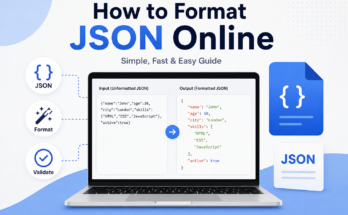
For example, formatted JSON may look like this:
{
  "name": "John",
  "age": 30,
  "city": "London"
}
After minification, it can look like this:
{"name":"John","age":30,"city":"London"}
Both versions contain exactly the same information. The main difference is that the second version takes less space.
Why Should You Minify JSON?
There are several reasons why I would choose to minify JSON. The biggest reason is file size. When a JSON document contains thousands of lines, unnecessary spaces and line breaks can add noticeable size to the file.
A smaller file can be useful when data needs to travel between a browser and a server. Reducing unnecessary characters can help reduce the amount of data transferred.
Minification can also make JSON more convenient for production environments. During development, I usually prefer readable JSON because it helps me find mistakes and understand the structure. When the data is ready for production, a compact version can be more practical.
Another advantage is storage. If an application regularly stores large amounts of JSON data, removing unnecessary formatting can reduce the amount of space required.
I also like minification when working with APIs. API responses can become quite large, especially when they contain many records. Although minification does not remove the actual data, it removes formatting that the computer does not need.
How to Minify JSON Online
The process is usually very simple. I normally start by finding a reliable online JSON minifier. There are many tools available, and most of them provide a text box where I can paste my JSON.
First, I copy the JSON data that I want to minify. I make sure that I copy the complete content rather than only a small section.
Next, I open the online JSON minification tool and paste the data into the input area. Most tools have a button such as Minify, Compress, or Format. Since I want a smaller version, I select the minification option.
The tool then removes unnecessary whitespace and formatting. Within a few moments, I can see the compact JSON output.
After that, I copy the minified result and use it wherever I need it. Before using it in an important project, I always recommend checking whether the output is valid JSON.
This process is much easier than manually removing spaces and line breaks. More importantly, a proper tool can preserve the structure of the JSON while removing only unnecessary formatting.
Check Your JSON Before Minifying
One mistake I see people make is trying to minify invalid JSON. A minifier cannot always fix every structural problem in your data.
Before minifying, I prefer to make sure the JSON is valid. Common problems include missing quotation marks, missing commas, incorrect brackets, and invalid values.
For example, JSON requires property names to use double quotation marks. A small syntax mistake can cause a parser or minification tool to reject the entire document.
This is why I often use a JSON validator before or after minification. Validation gives me confidence that the data is properly structured.
A good workflow is simple. First validate the JSON. Then minify it. Finally, validate the minified version again if the data is important.
Does Minifying JSON Change the Data?
No, proper JSON minification should not change the actual data.
The purpose of minification is to remove unnecessary formatting rather than modify values. Strings, numbers, arrays, objects, Boolean values, and null values should remain exactly the same.
For example, these two JSON versions represent the same data:
{
  "product": "Laptop",
  "price": 800,
  "available": true
}
And:
{"product":"Laptop","price":800,"available":true}
The second version is simply more compact.
This is one reason I like JSON minification. I can reduce the file size without manually changing the information inside it.

JSON Minification and Readability
There is one important disadvantage that I always keep in mind. Minified JSON is harder for humans to read.
When everything is placed on one line, finding a particular property or understanding a large nested structure can become difficult.
Because of this, I would not recommend keeping only the minified version during development. I prefer to keep a readable copy of important JSON files and generate a minified version when needed.
Readable JSON is especially helpful when several developers are working on the same project. Developers can quickly understand the structure, identify errors, and make changes.
Minified JSON is more suitable when the data is being delivered to an application or stored for a production purpose where human readability is less important.
Can You Minify Large JSON Files Online?
Yes, many online tools can handle reasonably large JSON documents. However, the maximum size depends on the website and the browser.
If I am working with a small or medium JSON file, an online tool is usually convenient. If the file is extremely large, I would consider using a local application or a command line tool instead.
Large files can also contain sensitive information, which creates another reason to think carefully before uploading them to an online service.
For personal testing data, an online minifier can be perfectly practical. For confidential business information, private customer records, passwords, access tokens, or other sensitive content, I would avoid uploading the data to an unknown website.
Is Online JSON Minification Safe?
The safety of an online JSON minifier depends on the service you use.
This is something I personally consider before pasting any real project data into an online tool. If the JSON contains private information, I would rather use a trusted service or perform the minification locally.
You should also avoid putting passwords, API keys, authentication tokens, private customer information, or confidential business data into random online tools.
For ordinary sample JSON or publicly available data, the risk is generally much lower. Still, it is always a good habit to read the website’s privacy information before using it.
Benefits of Using an Online JSON Minifier
The biggest benefit for me is convenience. I do not need to install a program or configure anything.
Another benefit is speed. I can paste JSON into a tool, click the minify button, and get the result almost immediately.
Online tools can also be useful for beginners. Someone who does not know programming can still reduce JSON size with a simple interface.
I also find these tools helpful when working on a temporary task. If I only need to minify one JSON file, installing a dedicated application may feel unnecessary.
Some tools also provide validation and formatting features. This means I can use the same website to check whether my JSON is valid, make it readable, and then minify it again.
My Recommended Workflow
When I work with JSON, I prefer to keep the process simple.
First, I create or collect the JSON data. Then I validate it to make sure there are no syntax errors. After that, I keep a readable copy somewhere safe.
When I need a smaller version, I paste the JSON into a trusted minification tool. I select the minify option and review the result.
Finally, I validate the minified output if the JSON is going into an important application or API.
This workflow gives me the best balance between readability, convenience, and performance.
Final Thoughts
Learning how to minify JSON online is not difficult. In fact, it is one of the simplest ways to make JSON more compact without changing the information inside it.
I think online JSON minifiers are especially useful when I need a quick result without installing additional software. They can remove unnecessary spaces, line breaks, and indentation while keeping the JSON structure intact.
At the same time, I would not treat minification as a replacement for validation or good data management. I always recommend keeping a readable copy of important JSON and being careful with private information.
For everyday development, readable JSON is easier to understand and maintain. For production and data transfer, minified JSON can be a practical choice because it removes unnecessary formatting and creates a cleaner, smaller representation.
Once you understand the difference between formatted and minified JSON, the whole process becomes straightforward. Paste your valid JSON into a trusted online minifier, select the minification option, check the output, and use the compact version where appropriate.
In my experience, the best approach is not to minify everything all the time. Instead, I use readable JSON while developing and minified JSON when compact data is more useful. This simple habit makes working with JSON much easier and more organized.