JSON, which stands for JavaScript Object Notation, has become one of the most common ways to store and exchange data online. I personally see JSON almost everywhere when working with websites, APIs, software applications, and different online tools. The problem is that JSON can quickly become difficult to read when it is written on a single line or when the spacing is inconsistent.
This is where an online JSON formatter becomes useful. Instead of manually adding spaces, line breaks, and indentation, an online formatter can organize the entire JSON structure within seconds. In my experience, formatting JSON is not only about making the data look better. It also makes it much easier to understand, check, edit, and troubleshoot.
In this article, I will explain how to format JSON online, why formatting matters, how to use an online JSON formatter, and what mistakes you should watch for.
What Is JSON?
JSON is a lightweight data format that is commonly used for communication between applications and servers. It is easy for computers to process and relatively easy for humans to read.
A simple JSON object can look like this:
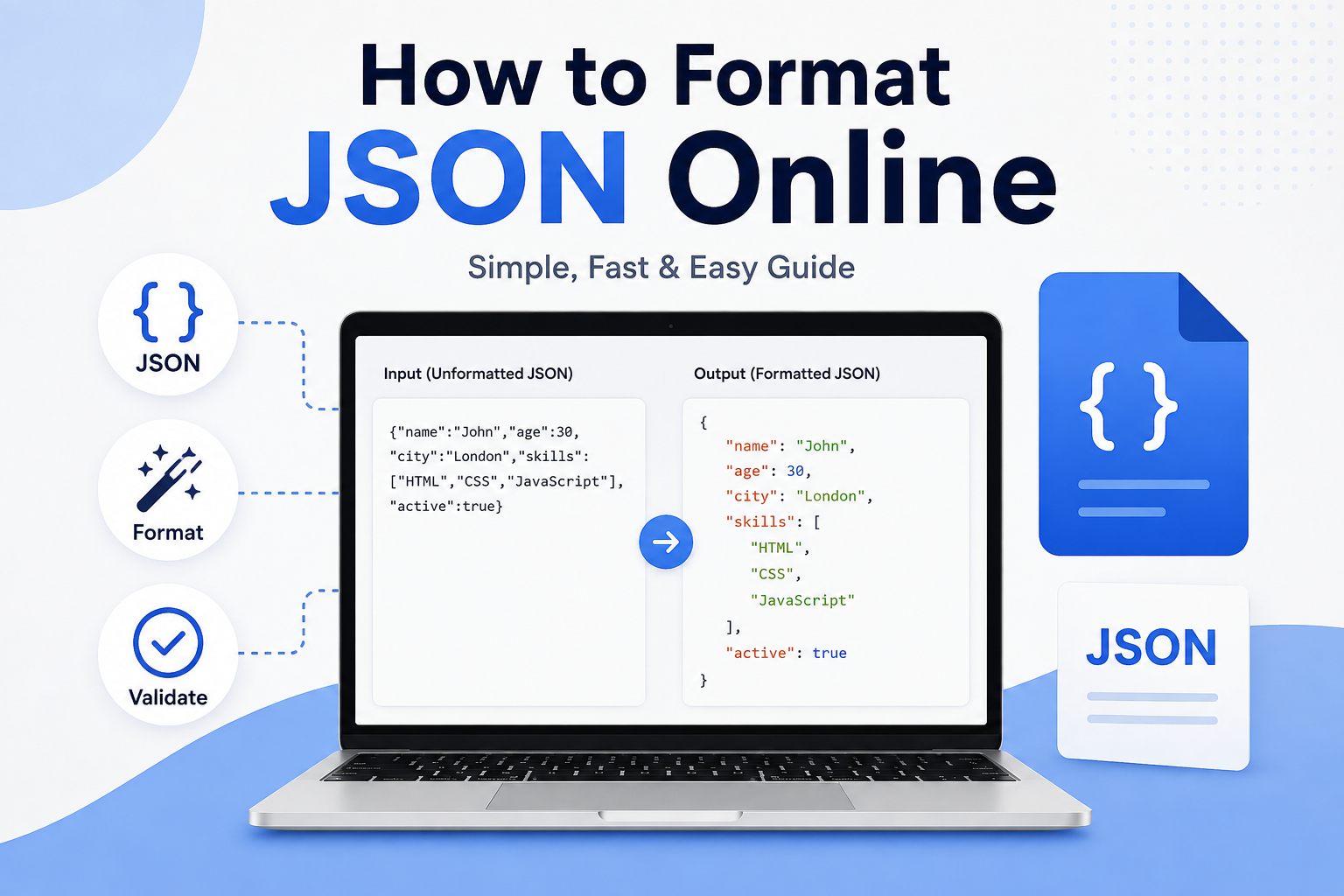
{"name":"John","age":30,"city":"London"}
Although this JSON is valid, I would find it much easier to understand if it were properly formatted:
{
  "name": "John",
  "age": 30,
  "city": "London"
}
Both examples contain the same information. The difference is simply the way the data is displayed.
When JSON becomes larger, formatting becomes even more important because an unformatted file can contain hundreds or thousands of characters on a single line.
Why Should You Format JSON?
I believe formatting JSON is one of the simplest ways to make technical data easier to work with. Proper formatting creates a clear structure that helps you see relationships between different pieces of information.
One major benefit is readability. When every object and property is displayed on its own line, you can quickly understand what the data contains.
Formatting can also help when you are debugging an API response. If something is wrong with the JSON, a properly formatted structure makes it easier to locate the problematic section.
Another advantage is easier editing. If I need to change a value inside a large JSON object, I would much rather work with properly indented data than search through one extremely long line.
Formatted JSON can also make collaboration easier. Developers, writers, testers, and other team members can understand structured data more quickly when it is presented clearly.
How to Format JSON Online
Formatting JSON online is generally very simple. You do not need advanced programming knowledge, and in many cases you do not need to install any software.
The first step is to find a reliable online JSON formatter. Many websites provide tools where you can paste your JSON directly into a text box.
Once you open the tool, copy your JSON data from your application, API response, text file, or another source.
Paste the JSON into the formatter.
Most tools provide a button such as Format, Beautify, Pretty Print, or Format JSON. Click that button and the tool will reorganize the data.
The result will usually include indentation and line breaks. Nested objects and arrays will also be displayed in a much clearer structure.
For example, this:
{"user":{"name":"Sarah","email":"sarah@example.com","skills":["Writing","Design","Marketing"]}}
can become:
{
  "user": {
    "name": "Sarah",
    "email": "sarah@example.com",
    "skills": [
      "Writing",
      "Design",
      "Marketing"
    ]
  }
}
Personally, I find the second version much easier to understand.
Formatting JSON and Validating JSON Are Different
One thing I think beginners should understand is that formatting and validation are not exactly the same thing.
Formatting changes the appearance of JSON. It adds indentation and line breaks so the structure is easier to read.
Validation checks whether the JSON follows the correct syntax.
For example, JSON generally requires property names to use double quotation marks. A missing quotation mark, comma, bracket, or brace can cause a JSON document to become invalid.
A good online JSON tool may provide both formatting and validation. This is useful because you can paste your data, format it, and immediately discover whether there is a syntax problem.
What Does JSON Formatting Actually Change?
A JSON formatter normally does not change the actual information contained in your data. Instead, it changes whitespace and presentation.
For example:
{"product":"Laptop","price":850,"available":true}
and:
{
  "product": "Laptop",
  "price": 850,
  "available": true
}
represent the same basic data.
The formatted version simply makes the structure more visible.
This is important because you should always understand what a tool is doing with your data. A formatter should not randomly change values, remove important properties, or modify the meaning of your JSON.
How to Format Large JSON Files
Large JSON files can be difficult to inspect manually. This is one situation where online formatting tools can save a significant amount of time.
If you receive a large API response, I recommend first making a copy of the original data. Then paste the copied version into your formatter.
After formatting, you can expand your understanding of the data by looking at objects and arrays individually.
For example, you might have customer information, product information, payment details, and order information inside the same JSON response. Proper indentation helps you identify where one section ends and another begins.
For very large files, however, you should consider using a desktop editor or development environment. Some online tools may struggle with extremely large inputs, and uploading sensitive information to a website can also create privacy concerns.
Common JSON Formatting Problems
There are several common issues that can prevent JSON from being formatted correctly.
One of the most common mistakes is using single quotation marks instead of double quotation marks.
Incorrect:
{'name':'John'}
Correct:
{"name":"John"}
Another common problem is forgetting a comma between properties.
Incorrect:
{
  "name": "John"
  "age": 30
}
Correct:
{
  "name": "John",
  "age": 30
}
Extra commas can also cause problems. JSON syntax is strict, so even a small mistake can prevent a formatter from processing the data.
Missing closing braces and brackets are another frequent issue, especially when JSON contains multiple nested objects and arrays.
Formatting Nested JSON
Nested JSON is where formatting becomes particularly valuable.
Consider data that contains a user object, an address object, and an array of hobbies. Without formatting, it can be difficult to understand the relationship between each section.
With indentation, the hierarchy becomes obvious.
For example:
{
  "user": {
    "name": "David",
    "address": {
      "country": "Canada",
      "city": "Toronto"
    },
    "hobbies": [
      "Reading",
      "Photography",
      "Travel"
    ]
  }
}
I find this style much easier to inspect because every level is visually separated.
How JSON Formatters Help With API Development
JSON is heavily used in APIs, so developers frequently need to inspect JSON responses.
Suppose an API returns a long response containing customer records, product details, account information, or transaction data. Looking at the raw response may be confusing.
Formatting it can immediately reveal the structure.
This can be especially helpful when testing APIs. If you are using an API testing platform or receiving data from a web service, formatted JSON allows you to identify individual fields much faster.
It can also help you compare two responses and understand which properties have changed.
Should You Use an Online JSON Formatter?
In my opinion, online JSON formatters are excellent for quick tasks. If I only need to clean up a JSON response or check its structure, using an online tool can be much faster than opening a full development environment.
However, I would be careful with private information.
If your JSON contains passwords, authentication tokens, private customer information, financial information, personal records, or confidential business data, I would avoid pasting it into an unknown website.
For sensitive data, it is better to use a trusted local editor or a tool that you know processes your information safely.
Tips for Better JSON Formatting
I recommend keeping a few simple habits in mind.
Always keep the original JSON before formatting it. This gives you a backup if something goes wrong.
Use consistent indentation. Two spaces or four spaces are both common choices, but consistency is more important than the exact number.
Validate JSON when possible. Formatting alone does not guarantee that the data is logically correct.
Use meaningful property names when creating your own JSON. Clear names make the structure easier for other people to understand.
Avoid putting unnecessary information into your JSON. Keeping data organized and relevant can make large responses easier to manage.
Finally, do not assume that every formatting problem means the data itself is wrong. Sometimes the JSON is perfectly valid but simply difficult to read because it has been compressed onto one line.
Final Thoughts
Learning how to format JSON online is a simple skill, but I think it can make a surprisingly big difference when working with digital data. Whether you are a developer, website owner, student, freelancer, or someone working with APIs, properly formatted JSON can save time and reduce confusion.
The basic process is straightforward. Find a reliable JSON formatter, paste your JSON, choose the formatting option, and review the result. If the tool reports an error, check for common problems such as missing commas, incorrect quotation marks, or unmatched brackets.
For everyday JSON tasks, online formatting tools can be extremely convenient. Just remember to protect sensitive information and avoid uploading private data to websites you do not trust.
From my point of view, the real benefit of JSON formatting is not simply making the code look attractive. It is about making information easier to understand. When data has a clear structure, finding mistakes, editing values, testing APIs, and communicating with other people becomes much easier.
If you regularly work with JSON, taking a few seconds to format it properly can make the entire process feel simpler and more organized.