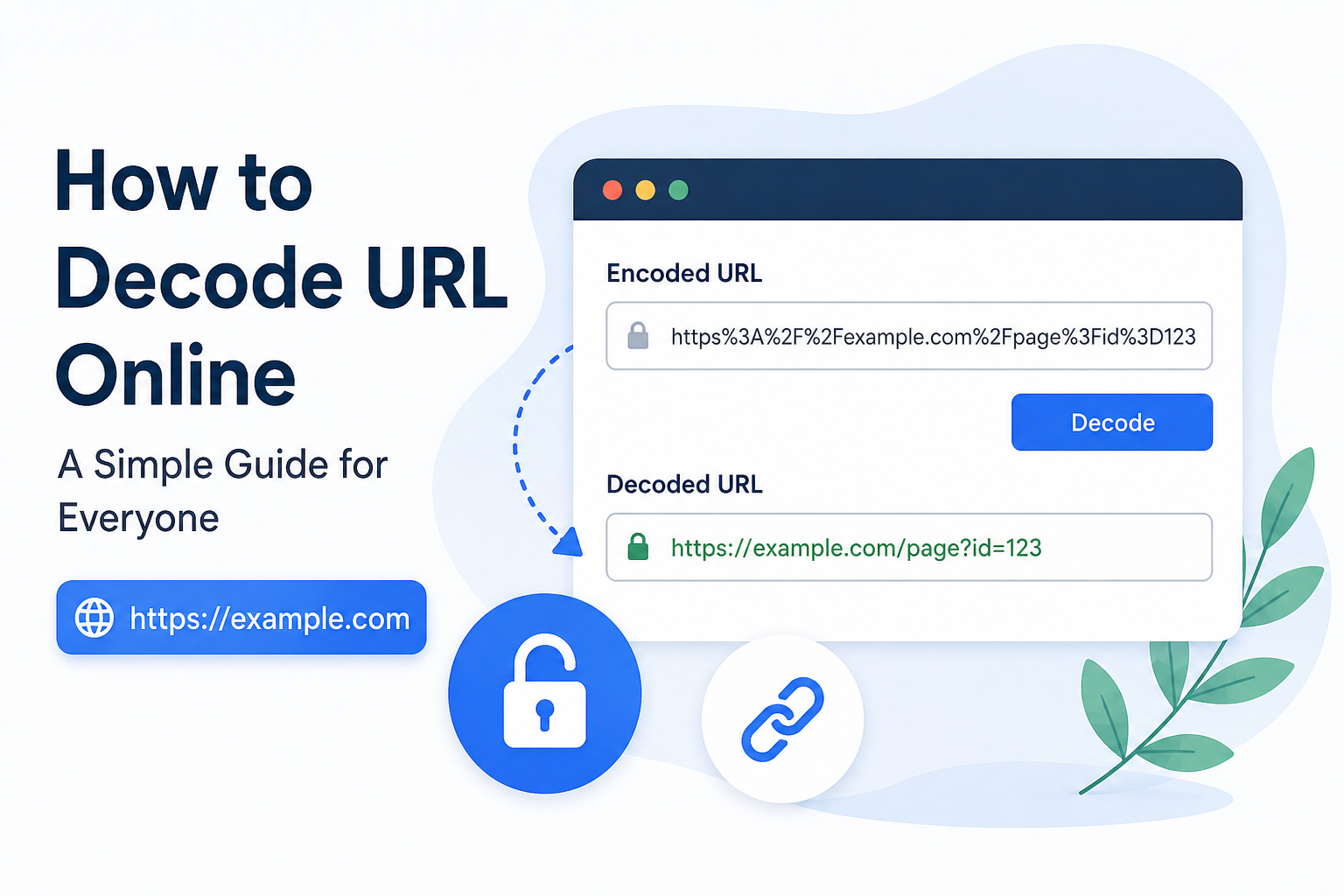
When I work with websites, links, or online tools, I often come across URLs that look confusing because they contain strange characters such as %20, %2F, %3F, or %3D. At first, these links may look complicated, but they are usually not difficult to understand once you know how URL encoding works.
A URL decoder is a simple online tool that converts an encoded URL into a more readable format. In my opinion, it is one of those small digital tools that can save a lot of time, especially when working with websites, SEO, web development, online forms, or digital marketing.
In this article, I will explain what URL decoding means, why URLs are encoded, how to decode URL online, and what you should know before using an online URL decoder.
What Is a URL?
URL stands for Uniform Resource Locator. In simple words, a URL is the web address that tells your browser where to find a particular resource on the internet.
For example, a simple URL may look like this:
A URL can also contain additional information such as a page path, query parameters, and special characters.
For example:
When URLs contain spaces, special characters, or characters that are not normally suitable for use inside a web address, they may be encoded.
This is where URL encoding and URL decoding become useful.
What Is URL Encoding?
URL encoding is the process of converting certain characters into a format that can safely be used inside a URL.
For example, a space can be represented as %20. A question mark can appear as %3F, while a slash can be represented as %2F.
Consider this encoded URL:
https%3A%2F%2Fexample.com%2Fmy%20page
After decoding, it becomes:
https://example.com/my page
The information is basically the same, but the second version is easier for a person to read.
From my point of view, URL encoding is not something users should be afraid of. It is simply a way of making certain characters safe for transmission through the web.
What Is URL Decoding?
URL decoding is the opposite of URL encoding.
When a URL has been encoded, a decoder converts the encoded characters back into their original form.
For example:
Hello%20World
becomes:
Hello World
Another example is:
https%3A%2F%2Fexample.com
which becomes:
This process can be done manually for simple URLs, but I personally prefer using an online URL decoder when a URL is long or contains many encoded characters.
Why Do We Need to Decode URLs?
There are several reasons why someone might need to decode a URL.
The first reason is readability. Encoded URLs can be difficult to understand, especially when they contain many percent encoded characters.
The second reason is troubleshooting. If a link is not behaving as expected, decoding it can help you understand what information is actually included in the URL.
Another reason is web development. Developers frequently work with query parameters and encoded data. Understanding the decoded version can make debugging much easier.
SEO professionals may also encounter encoded URLs while analyzing websites, redirects, tracking links, and search data.
For me, the biggest advantage is simply convenience. Instead of trying to understand every encoded character manually, I can paste the URL into a decoder and immediately see the readable version.
How to Decode URL Online
Decoding a URL online is usually very easy. Most URL decoder tools follow almost the same process.
Step 1: Find an Online URL Decoder
First, open a reliable online URL decoding tool in your browser.
You do not normally need to install software for this task. A browser based tool is enough for most simple decoding requirements.
Step 2: Copy Your Encoded URL
Copy the URL that you want to decode.
For example:
https%3A%2F%2Fexample.com%2Fproducts%3Fid%3D123
Make sure you copy the complete URL so that no important characters are missing.
Step 3: Paste the URL
Open the decoder and paste your encoded URL into the input box.
Most tools have a large text area where you can enter the URL.
Step 4: Click the Decode Button
Look for a button such as Decode, Decode URL, or Convert.
Clicking the button will process the encoded text and show the decoded result.
The example above may become:
Now the URL is much easier to understand.
Step 5: Review the Result
I always recommend checking the decoded URL before using it.
Make sure the domain name is correct and that the parameters have not changed unexpectedly.
If the URL contains sensitive information, avoid sharing the decoded result publicly.
Common URL Encoded Characters
Learning a few common encoded characters can make URLs much easier to understand.
A space is commonly represented as %20.
A slash / can be represented as %2F.
A question mark ? can be represented as %3F.
An equals sign = can be represented as %3D.
An ampersand & can be represented as %26.
A plus sign + can sometimes represent a space in query string encoding.
For example:
Hello%20World
means:
Hello World
Similarly:
name%3DAli%26city%3DLahore
can be decoded as:
name=Ali&city=Lahore
These examples show why URL decoding can be useful when you are trying to understand what is hidden behind a long encoded string.
URL Decoder vs URL Encoder
URL encoding and URL decoding are two different processes.
Encoding changes readable URL characters into an encoded format.
Decoding changes encoded URL characters back into a readable format.
For example:
Original text:
hello world
Encoded:
hello%20world
Decoded:
hello world
So, if I have a normal piece of text that needs to be safely included in a URL, I use encoding. If I receive an encoded URL and want to understand it, I use decoding.
When Should You Use an Online URL Decoder?
There are many situations where an online decoder can be useful.
If you are a web developer, you may use it while testing links and query parameters.
If you work in SEO, it can help you understand URLs during website analysis.
If you manage a website, you may need it when checking tracking links or redirects.
Students can also use URL decoders when learning about web technologies and HTTP requests.
Digital marketers may find them helpful when analyzing campaign URLs.
Even an ordinary internet user can use a decoder when a website provides a strange or heavily encoded link.
In my experience, the tool becomes especially useful when the URL is too long to decode comfortably by hand.
Is URL Decoding Safe?
URL decoding itself is generally a harmless conversion process. However, you should still be careful about what you paste into online tools.
I would avoid putting passwords, private tokens, authentication information, or other confidential data into an online decoder.
Some URLs may contain tracking information or personal information as query parameters. Before sharing a decoded URL, check what information it contains.
Also remember that decoding a URL does not automatically make the destination website safe. A decoded URL can still point to a malicious or suspicious website.
Therefore, I always recommend checking the domain carefully before opening an unfamiliar link.
Can You Decode a URL Without an Online Tool?
Yes. Developers can decode URLs using programming languages or browser tools.
For example, JavaScript provides functions for URL decoding. Developers can also use browser developer tools or command line utilities.
However, for someone who only needs to decode a URL occasionally, an online tool is usually much faster.
I personally think online tools are especially useful for beginners because they do not require programming knowledge.
Common Problems When Decoding URLs
Sometimes a URL does not decode exactly as expected.
One common problem is incomplete copying. If even a small part of a URL is missing, the result may not make sense.
Another issue is double encoding. A URL can sometimes be encoded more than once. In such cases, decoding it one time may still leave encoded characters behind.
For example, you might decode a URL and still see %20 or other encoded values. This does not necessarily mean that the decoder is broken. The data may have been encoded multiple times.
Another issue is incorrect encoding format. Different parts of a URL can follow different rules, so you should not assume that every percent encoded value has the same purpose.
URL Decoding and Privacy
Privacy is something I believe users should take seriously when using online tools.
A URL can contain more information than just a website address. It may include search terms, campaign identifiers, user IDs, session information, or other parameters.
Before submitting a URL to a third party website, consider whether it contains anything private.
For normal public URLs, this usually is not a major concern. But if the URL came from a private account, dashboard, email, or personal service, I would be more careful.
When possible, remove unnecessary sensitive information before using an online decoder.
Benefits of Using an Online URL Decoder
The biggest benefit is simplicity.
You do not need technical knowledge to decode a URL. You simply paste the encoded URL and get a readable result.
Another benefit is speed. A complicated URL that would take several minutes to understand manually can often be decoded almost instantly.
Online URL decoders can also be useful for learning. Beginners can compare the encoded and decoded versions and gradually learn what common URL characters represent.
They are also convenient because they work through a web browser and usually do not require installation.
Final Thoughts
URL decoding may sound like a technical process, but it is actually quite simple once you understand the basic idea. URL encoding changes certain characters into a safe format, while URL decoding changes them back into a readable form.
For me, an online URL decoder is a practical tool whenever I need to understand a complicated web address, troubleshoot a link, analyze query parameters, or work with web development and SEO.
If you only need to decode URLs occasionally, an online tool is probably the easiest option. Just copy the encoded URL, paste it into the decoder, click the decode button, and review the result.
At the same time, I would always recommend paying attention to privacy. Never blindly paste confidential URLs into unknown websites, and always check unfamiliar domains before opening them.
Once you understand a few common encoded characters such as %20, %2F, %3F, and %3D, encoded URLs become much less confusing. With a simple online URL decoder, even a long and complicated URL can usually be turned into something that is much easier to read and understand.