Introduction
I often work with different types of text, and one small problem I notice quite often is inconsistent capitalization. Sometimes a paragraph is written completely in uppercase letters, while other times every word starts with a capital letter even when it does not need to. Fixing this manually can take a lot of time, especially when the text is long.
This is where an online lowercase converter becomes useful. A lowercase converter changes capital letters into small letters within a few seconds. Instead of editing every word manually, I can simply paste my text into an online tool, click the lowercase option, and get clean text almost instantly.
In my opinion, this is one of the simplest online text tools available. It does not require special software, advanced computer skills, or complicated settings. Anyone who regularly works with documents, blog posts, notes, social media content, or website text can use it.
What Does Lowercase Mean?
Lowercase refers to the smaller form of letters in the alphabet. For example, the uppercase version of the word “HELLO” is written in capital letters, while its lowercase version is “hello.”
Some simple examples are:
HELLO WORLD becomes hello world.
WELCOME TO MY WEBSITE becomes welcome to my website.
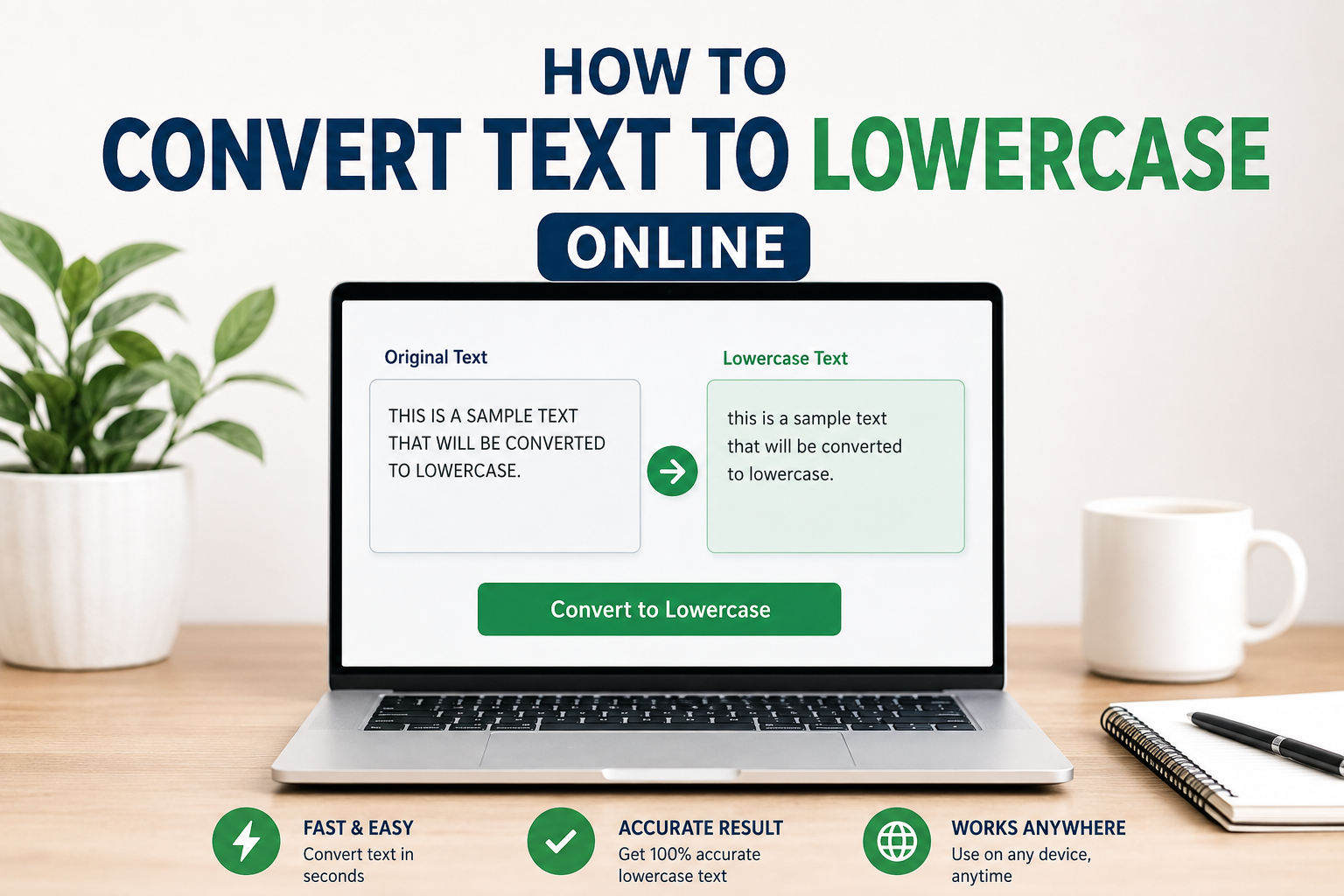
THIS IS A SAMPLE TEXT becomes this is a sample text.
Lowercase letters are commonly used in normal sentences, website content, notes, messages, and many other forms of writing. Although capitalization has an important role in English grammar, there are situations where converting text into lowercase makes it easier to organize or process.
What Is an Online Lowercase Converter?
An online lowercase converter is a web based tool that changes uppercase letters into lowercase letters. I find these tools particularly useful when I have text that contains too many capital letters.
The process is usually very simple. First, I copy the text that I want to change. Then I paste it into the converter. After that, I select the lowercase option. The tool processes the text and displays the converted version.
Most basic lowercase converters do not require registration or software installation. This makes them convenient when I need to make a quick change from any device with an internet connection.
How to Convert Text to Lowercase Online
Converting text to lowercase online is usually a very easy process. Here is how I normally do it.
Copy Your Text
The first step is to select the text that needs to be converted. It can be a sentence, paragraph, article, title, or even a large amount of content.
I simply highlight the required text and copy it. If the text is already saved in a document, I can open the document and copy the required section.
Open a Lowercase Converter
Next, I open an online text case converter that provides a lowercase option. There are many simple tools available, and most of them have a text box where I can paste my content.
I prefer using a tool with a clean interface because I do not want to waste time looking through unnecessary features.
Paste the Text
After opening the tool, I paste my copied text into the input box. At this point, I can check the text to make sure everything has been copied correctly.
Select Lowercase
The next step is to choose the lowercase option. The converter then changes uppercase letters into lowercase letters.
For example, if I paste “LEARNING NEW SKILLS CAN BE VERY USEFUL,” the converted result will be “learning new skills can be very useful.”
Copy the Converted Text
Once the conversion is complete, I copy the new text. I can then paste it into my WordPress editor, document, email, social media post, or wherever I need it.
The entire process usually takes only a few seconds.
Why I Find Lowercase Conversion Useful
There are several reasons why I think a lowercase converter can be helpful.
The biggest advantage is speed. If I have a long paragraph written in uppercase, changing every letter manually would be frustrating. An online converter handles the entire text at once.
Another advantage is convenience. I do not need to install a program or learn complicated software. I can simply open a browser and use the tool.
I also find these converters helpful for reducing simple formatting mistakes. When text has inconsistent capitalization, converting everything to lowercase gives me a clean starting point.
Useful for Bloggers and Website Owners
If you manage a website or blog, you may regularly work with large amounts of text. I know that formatting can become a repetitive part of content creation.
A lowercase converter can be useful when preparing headings, keywords, notes, labels, or other text that needs consistent capitalization.
For example, when I collect keyword ideas from different sources, they may have different capitalization styles. Converting them to lowercase can make the list more consistent and easier to organize.
However, I would not blindly convert an entire finished article to lowercase because normal English writing requires appropriate capitalization. Instead, I use lowercase conversion when the specific purpose calls for it.
Useful for Students
Students can also benefit from online text conversion tools. While working on assignments, notes, research material, or study documents, students sometimes receive text with unusual capitalization.
A lowercase converter can quickly clean up that formatting.
For example, if I copy a section of notes where everything is written in capital letters, converting it to lowercase can make it easier to edit and organize.
It can also save time when preparing lists or organizing information for a project.
Lowercase Conversion on Mobile Phones
Another thing I like about online lowercase converters is that they can usually be accessed from smartphones. I do not always have access to a computer when I need to edit text.
On a phone, I can copy the text, open a browser, paste it into a lowercase converter, and convert it. Afterward, I can copy the result and paste it into another application.
This can be especially useful for people who write social media posts, messages, notes, or website content from their phones.
Does Lowercase Conversion Change the Meaning?
Normally, changing uppercase letters into lowercase letters does not change the basic words themselves. However, capitalization can sometimes carry meaning.
For example, proper names, places, organizations, and the beginning of sentences normally require capital letters in standard English. If I convert everything to lowercase, those capitalization details will disappear.
For this reason, I always review converted text before publishing it. A lowercase converter is mainly a formatting tool, not a grammar correction tool.
Lowercase Converter vs Manual Editing
I could convert text manually by selecting each uppercase letter and replacing it with a lowercase letter. However, this method becomes impractical when the text contains hundreds or thousands of words.
An online converter can process the entire text at once. This saves time and reduces the effort involved in repetitive editing.
In my experience, the main benefit is not that the task is difficult. It is that the task is repetitive. Whenever technology can handle repetitive formatting quickly, I think it makes sense to use it.
Things to Check After Conversion
Even though lowercase conversion is simple, I recommend checking the final text.
First, make sure the complete text was converted. Sometimes formatting or special characters may remain unchanged, which is usually normal.
Second, check proper nouns if the text will be published. Names of people, countries, cities, companies, and other specific names may need to be capitalized again.
Third, check the beginning of sentences. Standard English normally begins sentences with capital letters.
Finally, read the text once before using it. This helps make sure the formatting is appropriate for the purpose of the content.
When Should You Use Lowercase Text?
Lowercase text can be useful in several situations. I might use it when preparing keyword lists, organizing data, cleaning copied text, creating certain technical inputs, or standardizing information.
It can also be useful when a particular website, application, or system requires text in lowercase format.
However, lowercase is not always appropriate. A professional article, academic paper, formal letter, or normal paragraph should generally follow standard capitalization rules.
The important thing is to understand why I am converting the text before doing it.
Tips for Better Text Formatting
I believe text formatting should always depend on the purpose of the content. Before converting text, I first decide where I will use it.
If I am preparing a keyword list, lowercase may be convenient. If I am writing an article, I usually want normal capitalization. If I am cleaning data, consistent lowercase formatting can sometimes make the information easier to manage.
I also recommend keeping the original text before making major formatting changes. This gives me a backup if I later realize that I need the original capitalization.
Final Thoughts
For me, converting text to lowercase online is a simple task that can save a surprising amount of time. Instead of manually changing capital letters one by one, I can use an online lowercase converter and complete the job in a few seconds.
The process is straightforward. I copy my text, paste it into a converter, choose the lowercase option, review the result, and copy the converted text. I can do this from a computer, tablet, or smartphone.
At the same time, I think it is important to remember that lowercase conversion is mainly a formatting process. It does not automatically improve grammar or writing quality. If the text is going to be published, I should always review capitalization afterward.
Overall, I find online lowercase converters useful because they make a small but repetitive editing task much faster. When I have a large amount of text that needs consistent lowercase formatting, using an online tool is much more convenient than doing everything manually.